How does the program know a sale really happened?
Direct answer: By checking a record of the sale that the store or the pack already produces. Where stores print receipts, the clerk photographs the receipt and the system reads every line and matches it to the brand's product list. Where they don't, the clerk scans a unique code on the pack, or the track-and-trace identifier that is already printed in markets that have one. In key accounts that share a sales feed, the clerk uploads nothing. The brand sets the method per channel. This guide is written by Shopobill, the SPIFF platform 35+ nicotine brands use to verify clerk sales, with receipts and without them.

On first calls, brands ask this in several ways. How does the application know I sold the product? Are they photographing receipts? There are ten things on a receipt, does it know which one is ours? A lot of our stores don't do printed receipts. What do I scan on the can? The worry is the same each time: a SPIFF program pays per verified sale, and the trade marketing team wants to know what counts as proof.
The short version of how a sale is verified without POS integration is in the SPIFF explainer; what stops clerks gaming the program has its own article.
"What does the clerk actually do at the counter?"
Less than buyers expect. The clerk sells the product, then records the sale in one of two ways, depending on how the program is set up for that store.
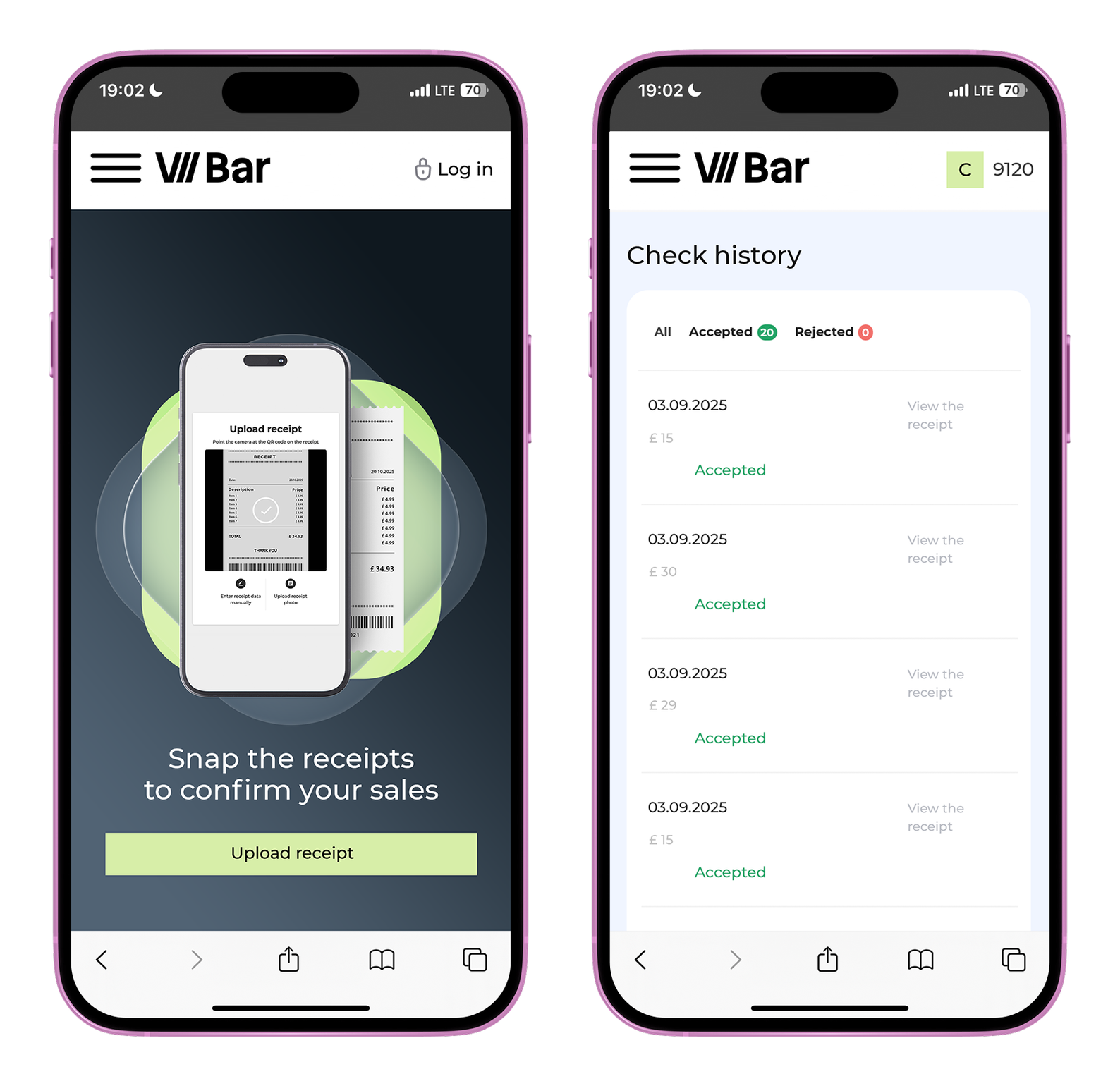
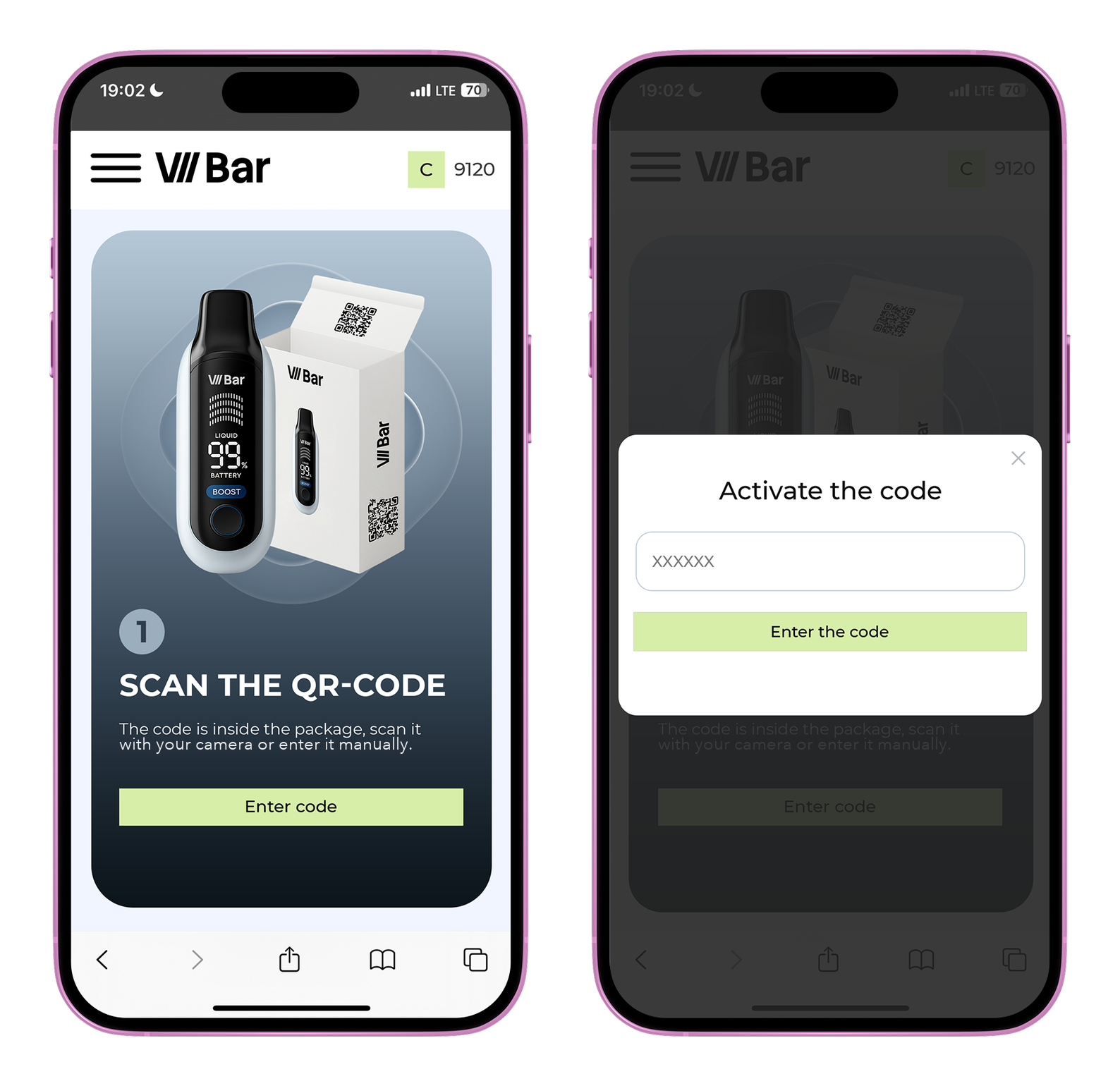
In a receipt-based program, the clerk opens the program site on their phone (a mobile website, no app download), taps the receipt button and photographs the receipt. The site reads it, shows the participating products it found, and the reward is added to the clerk's balance. Cash or card makes no difference. In a code-based program, the clerk scans a QR code on the pack with the phone camera, or types the code in. Each code can be redeemed once.
Either way it takes seconds, and clerks learn it in one demonstration from the brand's rep or the distributor's rep. Cashier incentives work when the clerk only has to photograph or scan.
Behind those two actions there are four methods, and the brand sets one for each channel:
"There are ten things on the receipt. One of them is ours."
Shopobill reads the whole receipt, not a crop: retailer, date and time, every line item, the total. Each line is matched against the SKU list the brand loaded at setup. Lines that match a participating SKU are rewarded; everything else is read, recorded, and ignored for payout. A receipt with a sandwich, two drinks, a lottery ticket and one can of the brand's nicotine pouches pays for the can. A receipt with three participating products pays for three.
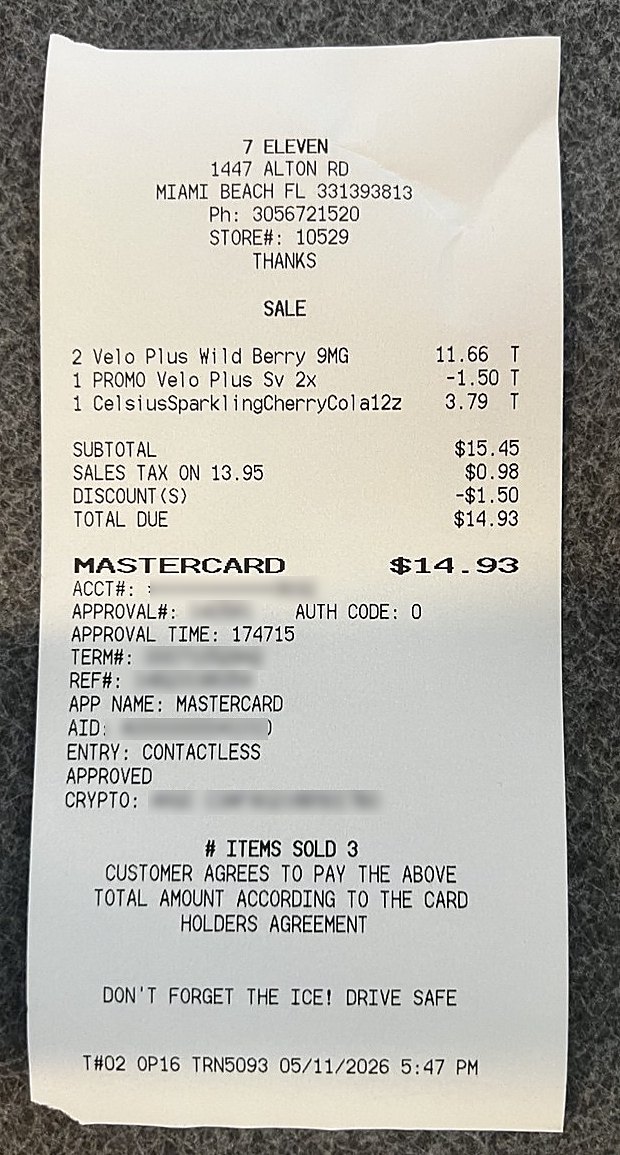
Retailers print the same product in different ways: one prints the full name, the next cuts it to twelve characters. The system matches on how each retailer prints the product, not on the exact product name. It learns new spellings as the program runs, so matching gets more accurate with every receipt.
The brand chooses which products earn a reward. A vape brand can add pods to the list. Then a receipt with pods earns a reward, even when there is no device on it.
Ignite's program accepted 93% of 166,000+ receipt submissions across 2,791 stores with receipts read this way. The 7% that failed were rejected before any payout.
"Does the receipt need a SKU number printed on it?"
No. Most receipts in independent retail don't have one. Product names, variants and strengths as the register prints them are enough.
The receipt does need to name the product. Some stores ring everything in a category to one button, so the receipt says "TOBACCO 12.99" or "VAPE" and nothing more. That proves a sale in the category but not which brand was sold, and the system cannot read what is not printed. The system rejects a receipt like that, and those stores run on pack codes.
"Who checks the receipt, and how fast?"
The system does, in seconds. Every receipt is either accepted or rejected automatically. There is no manual moderation, and nobody reads receipts by hand.
A receipt is accepted when the store is recognised, the lines match the SKU list and it passes the checks. It is rejected when it cannot be read, when it names no product in the program, when it is already registered, or when it fails a check. On Shopobill the system makes that decision, so the brand's team does not read receipts.
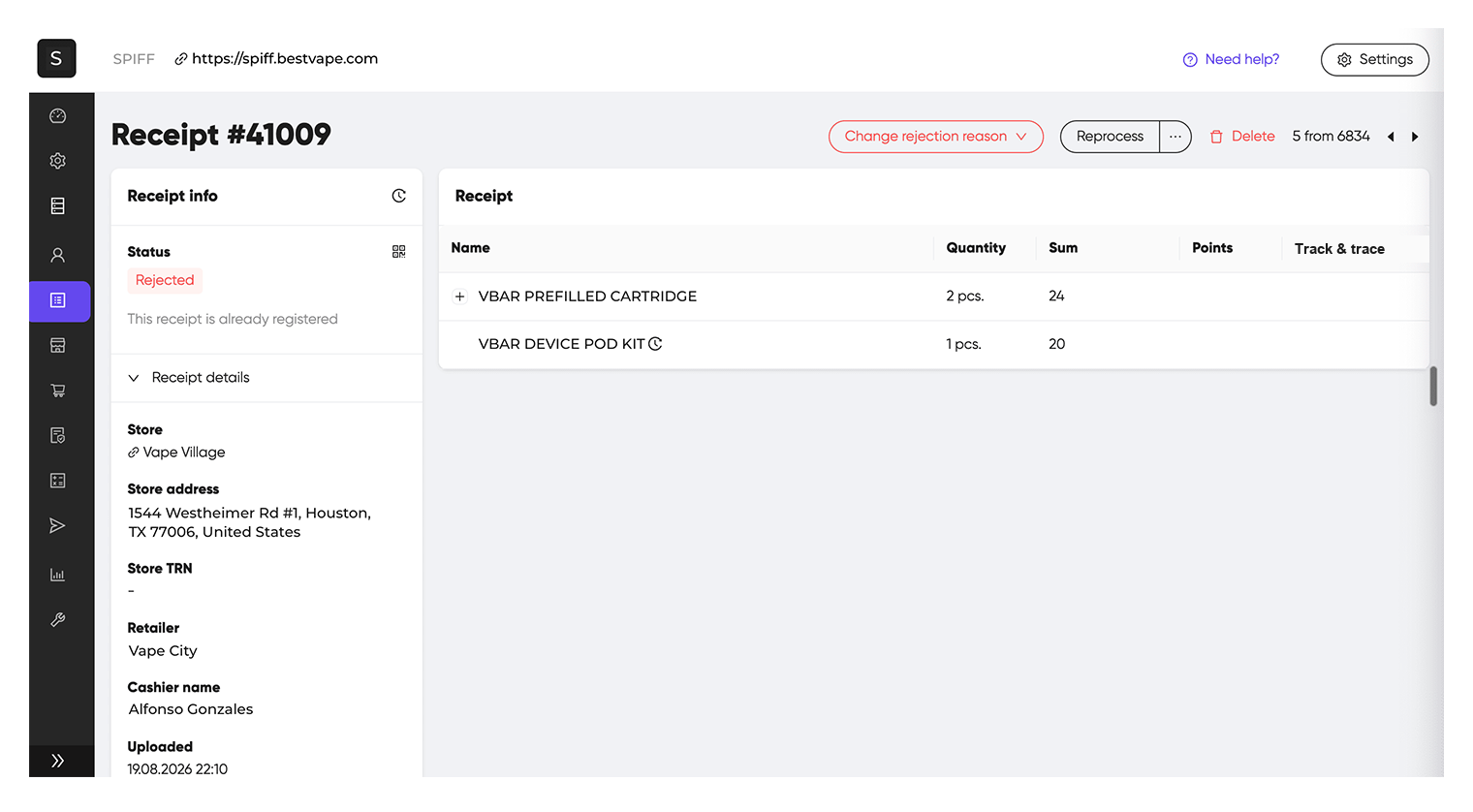
The clerk gets the decision with the reason. "Receipt unreadable, please re-photograph" is a different message from "product not in the program". A receipt rejected for photo quality can be resubmitted; one rejected as a duplicate cannot, because that receipt is already registered.
A clerk who disagrees with a rejection writes a message from their profile. The program manager can then look at that receipt and accept it if the rejection was wrong. That is the only point where a person is involved, and it happens only when the clerk asks.
"What if the store doesn't print receipts at all?"
First check whether that is really the case. Many stores do not hand the customer a receipt, but in the great majority of stores the POS system can print one, or print a copy afterwards. In many programs clerks submit these copies, and that is normal. A store needs another method only when its system cannot print an itemised receipt at all.
In that case the clerk scans a code on the pack.
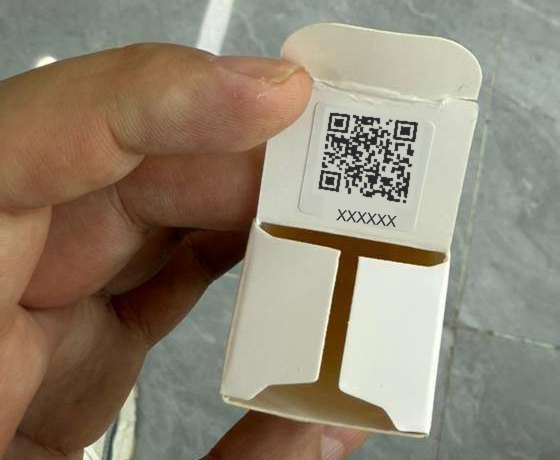
In a code-based program each unit has a unique code under the flap or inside the packaging. The clerk opens the pack at the counter for the customer, scans the code, and the sale is recorded. The code can be redeemed once. Brusko, a vape brand, validated 697,000+ sales through pack codes: each pack carries a unique code, and a code can be claimed once. What stops a clerk scanning codes without selling is covered in the guide to clerks gaming incentive programs.
The brand decides at setup which stores get which method, channel by channel: receipts where stores print them, codes where they don't. A program can run receipts in the convenience stores and codes in the vape shops and kiosks at the same time. The clerk in each store sees only the method set for that store.
"Can they send a card-terminal slip or a photo of the register screen?"
A card-terminal slip proves an amount was paid but does not show what was bought. Most list no products, so there is nothing to match against the SKU list, and an unitemised slip is not accepted as proof of a product sale. An itemised slip, where a terminal prints one, is treated as a receipt. A store where the unitemised slip is the only paper runs on codes.
A photo of the register screen can be accepted. That is the program manager's decision: a program can be set up so that, in stores that do not print, the clerk photographs the completed sale on the POS screen and that photo is the proof. The same rule applies to both: the record has to name the store, the time and the product. A store that cannot produce such a record runs on codes.
"Can you use the codes that are already on our packs?"
In some markets, yes. Where the law already puts a unique code on every pack, the program can use that code, and the brand prints nothing new. Two examples:
- Tobacco products in the European Union. Under the Tobacco Products Directive, every pack of tobacco products sold in the EU carries a unique identifier. The rule has applied to cigarettes and roll-your-own tobacco since 2019 and to all other tobacco products since 2024, so tobacco brands selling there already have a code on every pack. Vapes and nicotine pouches are not covered.
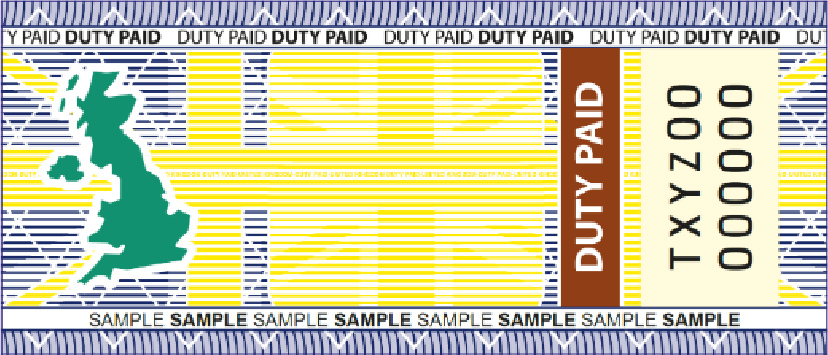
- Vaping products in the UK. Since 1 October 2026 vaping products carry a duty stamp under the Vaping Products Duty. The stamp goes on the outside of the retail pack. The digital stamp, required on new products from 1 January 2027, has a scannable code, and from 1 April 2027 a vaping product cannot be sold without a stamp.
The same can work with the identification marks that vape and tobacco brands put on their own packs. Many brands add a sticker with a unique QR code to every pack so that the buyer can check the product is genuine. That code is already unique to the pack, so the program can accept it as the proof of a sale.
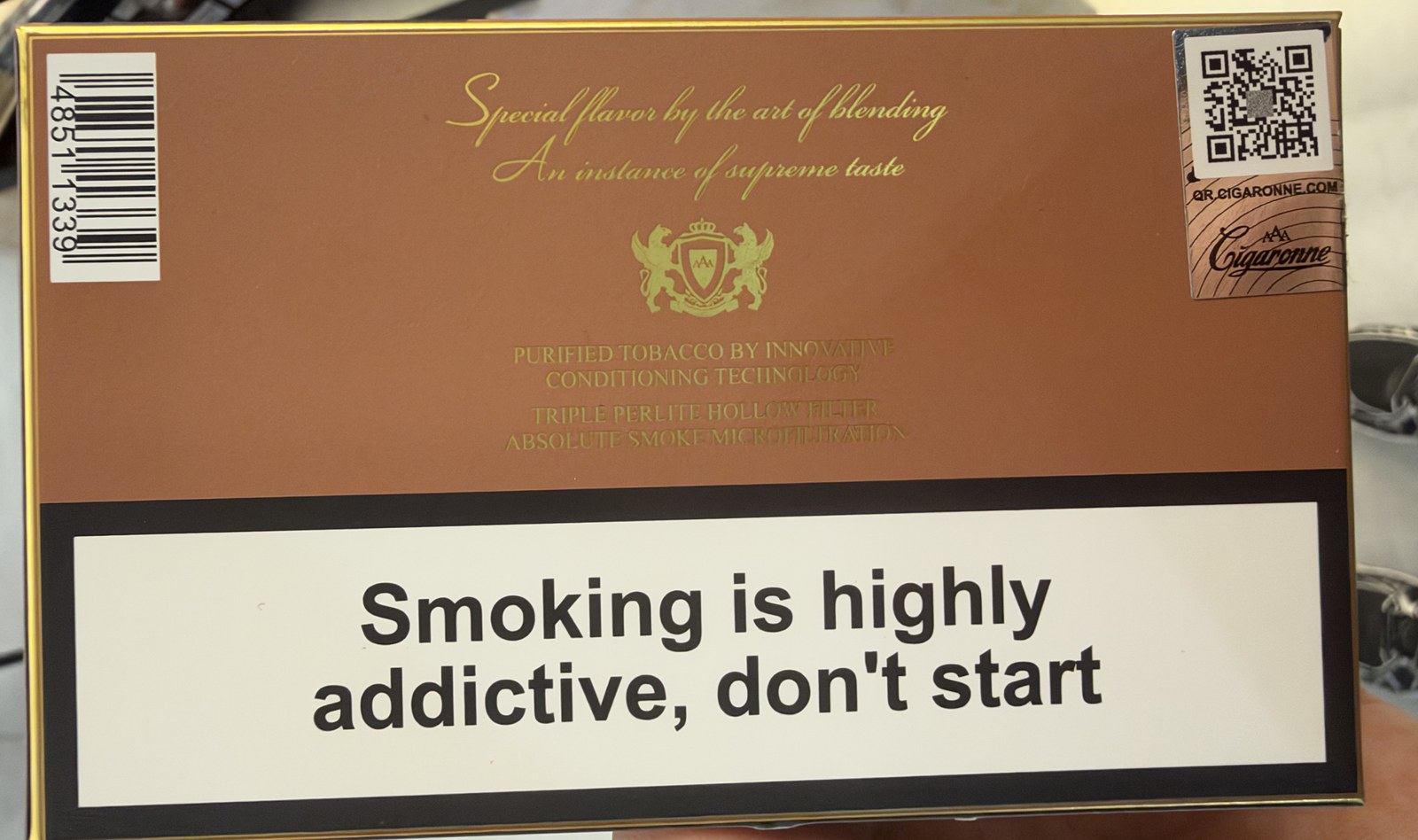
For the clerk it works like a pack code: scan the code that is already on the pack, and each code is accepted once. Shopobill supports this method alongside receipts and codes printed for the program.
"Will clerks really do this when there's a queue?"
Clerks stop doing anything that slows the line. Two things solve it. First, the receipt is recorded after the sale, not during it. The receipt stays by the register and the clerk photographs it in the next quiet minute, or at the end of the shift, five in a row. Shopobill matches the sale on the store's own printed date and time, so the submission doesn't have to happen while the customer is standing there. No step uses the register, so nothing slows the line.
A clerk who forgot to photograph the receipt, or gave it to the customer, prints a copy later. Most POS systems allow that. A copy shows the same sale as the original, so that sale is rewarded once.
Second, the code is scanned in the seconds the clerk already spends opening the pack for the customer. Open, scan, hand it over.
The scan takes five seconds and only records the sale. The sales lift comes from the recommendation before it.
"Can you connect to the POS or EPOS instead?"
Yes, where the retailer agrees, and the clerk's part becomes much simpler.
With a sales feed from the retailer's system, by store and ideally by clerk login, there is nothing to upload. The participating SKUs are matched from the feed, and the clerk opens the program site at the end of the shift to see what they earned today. For a key-account chain this is the best option: head office already has the data.
The feed has constraints. It needs the retailer's consent and the retailer's IT. It needs a clerk identifier in the feed, or the program pays the store team rather than the individual. And the c-stores, vape shops and smoke shops of the independent trade have no feed to share.
So in practice a brand runs the feed in the chains that agree, receipts in the stores that print, and codes in the stores that don't. The program, the SKU list and the rewards are the same. Which chains agree, and how the owner conversation goes in the independents, is in the guide on store owners and chains.
"What does the brand get out of all this?"
The sale, mostly. A sell-through incentive program for store staff pays the clerk who recommends the brand when it sells, and verification makes sure the payment is for a real sale.
The by-product is sell-out data from stores that share no POS data: by store, by day, by SKU. Because the whole receipt is read, the record also shows which competing products were in the basket. That data is secondary. It should not be the reason to run retail staff incentives. To see how verification looks from the admin side, store by store, start with the retail sales incentive platform for brands.
Frequently asked questions
-
How does a SPIFF program know that a sale really happened?

-
How does a receipt-based store clerk incentive program verify a sale?
-
Does the receipt need a SKU or barcode number printed on it?
-
What if the store doesn't print receipts at all?
-
Can clerks upload a card-terminal slip or a photo of the register screen instead of a receipt?
-
Does the clerk have to upload the receipt while the customer is at the counter?
-
Can the program connect to the store's POS or EPOS instead?